Ezora logo
Ezora
Blog
Book a call
Ezora
© Ezora 2026. All rights reserved.
< All posts

How to Integrate AI Agents with Real Estate CRM and Calendar Tools (2026 Step-by-Step Guide)

Discover how to integrate AI agents with real estate CRM and calendar tools in this comprehensive 2026 step-by-step guide for seamless management.

·Updated November 9, 2026·17 min read
How to Integrate AI Agents with Real Estate CRM and Calendar Tools (2026 Step-by-Step Guide)

how to integrate AI agents with real estate CRM and calendar tools | Updated November 2026 | By the Ezora Editorial Team | Time required: 2-3 weeks (phased rollout) | Difficulty: Beginner

What You'll Learn

You can integrate AI agents with real estate CRM and calendar tools in 2026 by following a five-step process that builds on the stack you already use, whether that's Follow Up Boss, BoomTown, HubSpot, or CINC, paired with Google Calendar or Calendly. You probably won't need a developer team. Most real estate CRMs offer open REST APIs, native app marketplace connectors, or no-code bridges through platforms like Zapier or Make. Once the work is done, your AI voice and messaging agents can read and write contact records, book showings onto your calendar, and log call outcomes in your CRM automatically. You'll end up with:

  • A documented map of the CRM fields, calendar slots, and webhook events your AI agent needs to reach.
  • A working two-way sync, so new leads, notes, and appointments move between your AI agent, CRM, and calendar on their own.
  • A tested escalation path that hands complex conversations to a human agent with the full context attached.
  • A single reporting view showing call volume, booked appointments, and lead disposition.

Before you start, make sure you have admin access to your CRM and calendar accounts, plus an API key or OAuth login for each. Plan on roughly 2-3 weeks for a phased rollout covering authentication, field mapping, and testing.


Why Integrating AI Agents with Real Estate CRM and Calendar Tools Matters in 2026

Speed to lead is still the biggest variable you can control. The Lead Response Management Study, conducted by Dr. James Oldroyd at MIT with InsideSales.com, analyzed more than 15,000 leads and 100,000 call attempts. It found that reaching a lead within five minutes instead of thirty makes you about 100 times more likely to make contact and 21 times more likely to qualify them. Inman's 2025 Real Estate Technology Survey found the average agent takes more than 15 hours (over 917 minutes) to respond to a new inquiry, and 78% of buyers work with the first agent who responds. AI agents close that gap by answering the moment a lead arrives.

The integration layer now decides which AI tools agencies keep. Follow Up Boss is widely regarded as the best overall CRM for real estate agents in 2026, thanks to its 250+ lead source integrations, speed-to-lead automation, and team accountability features, which is why AI agent vendors often build connectors for it first. The real estate CRM software market is projected to grow from USD 5109.66 million in 2026 to USD 5753.5 million in 2027, and toward USD 14871.33 million by 2035 at a CAGR of 12.6%. AI-assisted lead scoring and integrated workflows are the main drivers.

If you serve the Indian market or work across borders, the stack question looks different. US-built platforms like Follow Up Boss can technically be used, but most were designed around the US MLS system and offer limited support for non-US portals, currencies, and property types. Global platforms such as HubSpot, Zoho, or Pipedrive, configured for real estate, usually give international operators better results. Whichever CRM you run, the method stays the same: authenticate, map your fields, and connect the AI agent to both the CRM and the calendar.

Key Takeaway: Integrating AI agents with real estate CRM and calendar tools is the most direct way to close the speed-to-lead gap, and results depend on clean, two-way data sync. For supporting data, see Best AI Tools for Real Estate Firms in 2026: Broker Guide.


Missing calls after hours?

Book a 20-minute call. We'll show you where leads slip through and what an AI front office would answer, book and follow up for you.

Book a call

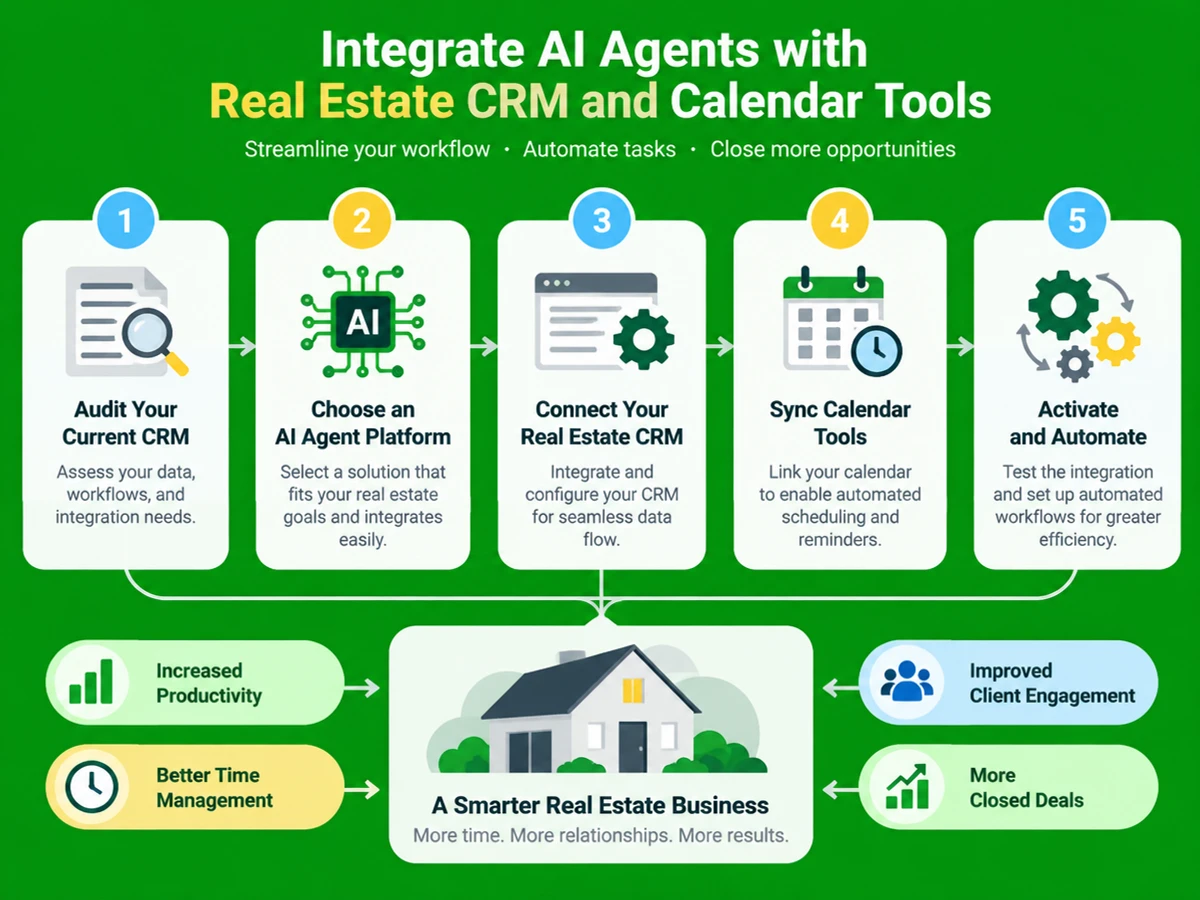
The Process at a Glance

StepActionTimeOutcome
1Audit your CRM, calendar, and call flow1-2 daysClear map of fields and gaps
2Choose an AI agent platform that fits your stack2-4 daysShortlisted, compatible vendor
3Connect the AI agent to your CRM1-3 daysContacts, notes, tasks sync live
4Sync calendar tools for live booking1-2 daysAI books real showings instantly
5Test, monitor, and optimize the integrationOngoing, 1 week initialVerified two-way sync, clean reporting

Altogether, expect roughly 2-3 weeks from first login to a fully tested, live integration.


Step 1: Audit Your Current CRM, Calendar, and Call Flow

What You're Doing

Every good integration starts with knowing where your lead data lives. Build a clear inventory of which systems hold lead information, which calendar your agents book into, and where leads slip away.

How to Do It

  1. List every tool that touches a lead today: your CRM, calendar, phone system, website forms, and lead sources like Zillow or 99acres.
  2. Identify the custom fields (lead source, budget, timeline, intent) the AI agent will need to read or write.
  3. Check which calendar your team really uses for showings. Google Calendar is the most common default, and many teams add Calendly for self-service booking.
  4. Note every point where a lead waits for a human, including after-hours calls, weekend inquiries, and busy-period overflow.

Best Practices

  • Pull 20-30 recent leads and trace by hand how long each waited for a first response. The numbers are often more uncomfortable than expected.
  • Check API access levels. Some CRMs issue one all-access key instead of granular permissions, which affects how much the AI agent can touch.

What Done Looks Like

You have a one-page map showing every system, every field the AI agent needs, and every gap in your current response time. For a more detailed walkthrough, see Best AI Tools for Real Estate Agents in 2026 - Kyle Tusing AI.


Step 2: Choose an AI Agent Platform That Fits Your CRM and Calendar

What You're Doing

Not every AI voice or messaging platform plugs into every CRM the same way. Find a platform with a proven connector for your stack so you aren't building one from scratch.

How to Do It

  1. Compare each vendor's published integrations list against your CRM and calendar before signing anything.
  2. Decide between a native connector (fastest, less flexible) and an open API or webhook approach (more setup, more control).
  3. Confirm two-way sync. A one-way lead push won't let CRM updates trigger AI follow-up, and that's usually where the value is.
  4. Ask how the agent handles booking. Does it check live availability through function calling, or just send a request for a human to confirm?

Example

CRMCommon Integration MethodWhat the AI Agent Can Typically Do
Follow Up BossREST API, webhooks, or MCP connectorCreate contacts, log notes, trigger action plans
HubSpotPrivate app access tokenLook up and manage contacts, deals, companies, and tasks; log calls and notes to the timeline
BoomTownAPI / lead routing rulesLead delivery, tagging, and stage updates
CINCAPI / webhookLead capture, routing, and follow-up triggers

Most modern CRM connectors offer something similar to HubSpot's setup, letting an AI agent manage contacts, deals, and tasks and log calls and notes straight to the timeline.

What Done Looks Like

You have one AI agent vendor whose published integration list includes your CRM and calendar, with two-way sync confirmed in writing.


Step 3: Connect the AI Agent to Your CRM

What You're Doing

This is the technical heart of the project. You're giving the AI agent permission to read lead history and write back call outcomes, notes, and lead scores in real time.

How to Do It

  1. Generate an API key or OAuth credential from your CRM's settings. In Follow Up Boss, go to Settings → Integrations → API. In HubSpot, create a private app access token. An API key is a unique identifier that authenticates a user, developer, or program to an API. An OAuth credential is a secure token that gives an application limited access to an account on another service without sharing the user's password.
  2. Enter that credential in your AI agent platform's integrations panel and authorize the connection.
  3. Map the fields the agent will write to, such as lead source, intent score, call disposition, and next action.
  4. Set up webhook subscriptions so the agent is notified the moment a contact or deal changes, instead of checking on a schedule.

Almost every CRM-to-AI connection follows the same pattern: listen, analyze, write back. The integration subscribes to webhook events, the AI layer processes them, and it uses the CRM's REST API to update custom fields on the contact record. This holds whether you're connecting Follow Up Boss, BoomTown, or HubSpot.

Best Practices

  • Confirm the sync direction. A two-way integration syncs data automatically in real time. A partial two-way integration moves some fields in both directions and leaves others one-way. A one-way integration only pushes data from the agent into the CRM. Ask your vendor which one they offer.
  • Scope write permissions tightly. Since many CRMs hand out one key with full account access, limit the agent to the fields it truly needs.

Common Mistakes

Likely cause: Treating the CRM connection as an afterthought, leaving the agent blind to lead history. Fix: Build and test the CRM connection before writing a single call script. The qualifying questions only make sense if the agent can see what's already in the record.

What Done Looks Like

A test lead created in your CRM triggers the AI agent within seconds, and a test call writes a note, a disposition, and a next action back to that contact record automatically.

Key Takeaway: Authenticate the agent with an API key or OAuth credential, map fields so data flows both ways, and set up webhooks for real-time updates. Test all of it before writing any scripts.


Step 4: Sync Calendar Tools for Real-Time Appointment Booking

What You're Doing

Your AI agent can check real availability and book a showing or consultation directly into your team's calendar while the conversation is still happening, instead of just collecting a callback request.

How to Do It

  1. Connect Google Calendar (or Calendly, if your team relies on self-service booking links) through your AI platform's native calendar integration.
  2. Authorize read and write access so the agent can see open slots and create events without double-booking.
  3. Set the booking function to check availability live during the call, rather than offering a generic time window.
  4. Handle timezones carefully. This matters most for distributed teams or international leads. The calendar should show both the lead's time and the agent's time.

Example

When an appointment gets scheduled, a calendar event is created automatically, and agent-booked events appear alongside the ones your team created by hand. Voice-first platforms go further. Real-time function calling lets the agent book on the calendar, look up listings, and write to the CRM during the call itself. A caller can go from "I'd like to see this property" to a confirmed showing time without a human picking up the phone.

Common Mistakes

Likely cause: Connecting a static booking link instead of live availability, which lets two leads grab the same slot. Fix: Confirm the agent checks the calendar in real time through function calling, not a cached schedule, before going live.

What Done Looks Like

A lead can call, text, or chat with the agent and hang up with a confirmed showing time on your actual calendar. There are no double-bookings, and nobody on your team has to confirm it manually.

Key Takeaway: Connect the agent directly to a live calendar with read and write access and function calling, so you avoid double-bookings and handle timezones correctly.


Step 5: Test, Monitor, and Optimize the Integration

What You're Doing

Don't send the integration to live leads until it's proven. Testing confirms that data flows correctly in both directions and that the agent escalates to a human when a request is beyond its reach.

How to Do It

  1. Run simulated calls and chats covering your common scenarios: a buyer inquiry, a seller lead, a rental question, and an edge case the AI should hand off.
  2. Check every test interaction in the CRM for the right contact, notes, and disposition.
  3. Confirm calendar bookings appear right away and match the time the lead agreed to on the call.
  4. Review your reporting dashboard for call volume, booked appointments, and lead outcomes before going live.

Best Practices

  • Listen to a sample of live calls in the first week. Look for any gap between what the agent said and what the CRM recorded.
  • Hold a weekly review for the first month. Most problems show up in real-world lead behavior, not during initial setup.

What Done Looks Like

The agent handles a full week of live leads, and every sampled CRM and calendar entry matches the actual conversation. Your team sees all of it in one report.


What to Do After Integrating Your AI Agents

Getting the integration live is a milestone, not the finish line. Phase 1 (Weeks 1-4): Stabilize. Check every AI-handled lead against CRM and calendar records daily, and fix field-mapping errors and escalation gaps as they appear.

Phase 2 (Months 2-3): Expand coverage. Once the core is steady, extend the agent to outbound follow-up sequences, missed-call text-backs, and after-hours chat, reusing the same CRM and calendar connection.

Phase 3 (Ongoing): Optimize with reporting. See which lead sources convert fastest, then adjust scripts and qualification questions based on the data rather than gut feel.


Resources You'll Need

ResourceRoleStatusPrice
EzoraAI voice and messaging agent platform wired into your CRM and calendarRecommendedCustom, implementation in about two weeks
Follow Up BossReal estate CRM with open API and webhook supportRequired (or equivalent CRM)From roughly $58-69/user/month
Google CalendarLive calendar for AI-booked showings and appointmentsRequiredFree with Google Workspace
CalendlySelf-service scheduling layer for lead-facing booking linksOptionalFree tier; paid plans available
ZapierNo-code bridge for CRMs without a native AI connectorOptionalFree tier; paid plans available

If you'd rather not assemble this yourself, Ezora can act as the integration layer itself. The team builds your agents, trains them on your scripts, pricing, and tone, and connects them to your phones, WhatsApp, CRM, and calendar, with minimal disruption to your workflow. Ezora's AI voice and messaging agents are designed so you don't miss calls or leads, require no staff retraining, and come with actionable reporting. Setup typically takes about two weeks.

Key Takeaway: You'll need your chosen AI agent platform, a compatible CRM such as Follow Up Boss, a live calendar like Google Calendar, and possibly a no-code tool like Zapier to bridge gaps. See also, see Best AI Tools for Real Estate Agents 2026: 10 Platforms.


Common Plateaus & How to Break Through

The AI agent books appointments, but they never land on the right calendar

Likely cause: The integration sends a one-way booking request instead of writing directly to a live, shared calendar. Fix: Confirm the vendor supports direct calendar write access, then run a double-booking test before launch.

The AI qualifies leads, but agents never see the context

Likely cause: The CRM connection is read-only, or it writes to a field nobody on the team checks. Fix: Map AI outputs to the fields and notification channels (push, email, SMS) your team already watches.

The integration worked in testing but breaks on real calls

Likely cause: Test scenarios skipped messy cases like interrupted calls, unclear intent, or non-English speech. Fix: Expand your test library to match real lead behavior, then review flagged calls weekly for the first month.

Response time improved, but conversions didn't

Likely cause: The agent answers fast, but the handoff to a human loses context, so the lead has to repeat everything. Fix: Make sure the agent passes the full conversation and CRM history at transfer, not just the phone number.

Key Takeaway: Most integration headaches come down to unverified two-way sync, AI outputs landing in unread fields, thin test coverage, and lost context during handoffs. For more troubleshooting advice, see AI Automation for Real Estate: A Complete Guide ....


Conclusion

Integrating AI agents with your real estate CRM and calendar is no longer a project only developers can handle. With a clear audit, the right vendor, a tested two-way CRM connection, and live calendar booking, most agencies can go from first login to a working integration in 2-3 weeks.

Key Takeaways

  • A well-integrated AI agent reads and writes CRM records and books real calendar slots in real time, helping close the gap left by the average 917-minute human response time.
  • Two-way sync is what separates a genuinely useful integration from a cosmetic one.
  • Your next step is to audit your stack this week and confirm that your CRM and calendar both support the integration method your chosen AI platform uses.

FAQ

How do I integrate AI agents with real estate CRM and calendar tools in 2026?

Start by auditing your current stack. Pick an AI platform with a proven connector for your CRM, authenticate it with an API key or OAuth login, and map the fields the agent will read and write. Connect your calendar, such as Google Calendar or Calendly, so the agent can check live availability and book in real time. Finally, test the full workflow with simulated leads before going live. Most agencies finish in 2-3 weeks, and a specialist platform like Ezora can handle the build and wiring.

Does an AI agent work with Follow Up Boss?

Yes. The Follow Up Boss API uses HTTP Basic Auth with your API key, exposes REST endpoints for contacts, events, tasks, and notes, and supports webhooks for real-time updates. This is the standard path most AI agent vendors use to sync leads, notes, and tasks.

Can AI agents integrate with BoomTown or CINC?

Yes, usually through API and webhook-based lead routing rather than a prebuilt marketplace connector. Both platforms support inbound lead delivery and stage updates, so an AI agent can create contacts, tag leads, and trigger follow-up sequences using the same webhook pattern used with other real estate CRMs.

Do I need a developer to connect AI agents to my CRM and calendar?

Not necessarily. Many connections can be built without code using tools like Zapier or Make, and managed AI agent platforms often handle the API work during onboarding. A developer becomes useful mainly for custom field mapping or highly specific workflow logic.

What is the difference between one-way and two-way CRM integration for AI agents?

A two-way integration syncs data between the AI tool and the CRM automatically and in real time. A partial two-way integration moves some fields in both directions and leaves others one-way. A one-way integration only pushes data from the AI tool into the CRM. Always confirm which type you're getting, because with a one-way setup, CRM updates won't trigger any AI follow-up.

How long does it take to set up an AI agent integration with a real estate CRM?

Configuring a single CRM connection, meaning generating the API key, entering it in the AI platform, and mapping template variables, can take as little as 15-20 minutes. A full integration covering CRM, calendar, call routing, and testing usually takes 1-3 weeks, depending on how many systems are involved.

Can AI agents book appointments directly into Google Calendar or Calendly?

Yes. Most modern AI voice and messaging platforms connect to Google Calendar and Calendly through native integrations. They check live availability and create a confirmed event the moment a lead agrees to a time, so no manual confirmation is needed.

What happens if a lead's question is too complex for the AI agent?

A well-integrated agent transfers the conversation to a human along with the full context of the call or chat. The lead doesn't have to repeat themselves, and the CRM record shows both the AI interaction and the handoff point.

Methodology note: This guide was compiled from publicly available CRM and AI agent integration documentation, vendor help centers, and industry research current as of November 2026. Pricing, feature availability, and integration methods change frequently, so confirm current details directly with each vendor before implementation.

Read next

  • 10 Best Intercom Alternatives for Real Estate Agencies in 2026Discover the top 10 Intercom alternatives for real estate agencies in 2026 to enhance communication and streamline client interactions effectively.
  • How to Set Up an AI WhatsApp Agent for Lead Follow-Up (Step-by-Step Guide for 2026)Discover how to set up an AI WhatsApp agent for lead follow-up with this comprehensive step-by-step guide for 2026, tailored for your business needs.
  • How to Set Up an AI Voice Agent for Real Estate Lead Follow-Up (2026 Step-by-Step Guide)Discover how to set up an AI voice agent for real estate lead follow-up with our comprehensive 2026 step-by-step guide for effective engagement.

Missing calls after hours?

Book a 20-minute call. We'll show you where leads slip through and what an AI front office would answer, book and follow up for you.

Book a call
Social Share
Add as a preferred source on Google
Social Share
Add as a preferred source on Google
Ezora logoEzora

Every call answered. Every lead followed up.

Book a 20-minute call to see what Ezora's AI agents can do for you.

Book a callVisit ezora.co