Ezora logo
Ezora
Blog
Book a call
Ezora
© Ezora 2026. All rights reserved.
< All posts

How to Automate After-Hours Customer Calls for Real Estate Agencies (2026 Step-by-Step Guide)

Discover effective strategies on how to automate after-hours customer calls for real estate agencies to enhance client engagement and streamline operations.

·Updated November 3, 2026·14 min read
How to Automate After-Hours Customer Calls for Real Estate Agencies (2026 Step-by-Step Guide)

how to automate after-hours customer calls for real estate agencies | updated November 2026 | Ezora Editorial Team | 2-3 weeks to full deployment | Beginner

What You'll Learn: How to Automate After-Hours Customer Calls for Real Estate Agencies in 2026

Most agencies don't lose buyers because they're bad at their jobs. They lose them because the phone rings at 8 PM and nobody picks up. This guide shows you how to fix that using AI voice agents, smart call routing, and calendar integrations, so every buyer, seller, and tenant gets a real response even when your office is closed. You won't need to hire a night-shift team.

By the end, you will know how to:

  • Identify which after-hours calls can be automated and which need a human handoff.
  • Set up an AI answering service that qualifies leads and books property viewings.
  • Connect call automation to your existing CRM and agent calendars without adding new software for your team.
  • Measure whether your automation is recovering lost revenue and lifting conversion rates.

What you'll need: a working phone number or VoIP line, an active CRM or spreadsheet of listings, and about two to three weeks for setup, testing, and staff training.


Why Automating After-Hours Calls Matters in 2026

Buyers and renters don't check the clock before they start looking. Research cited across 2026 industry sources shows that 62% of real estate inquiries are submitted outside traditional business hours. If your front desk closes at 5, you are missing most of your inbound interest by default. A UK-wide study by InStep AI found the gap is even wider in the evening: 94.1% of calls to sales and lettings agencies between 6pm and 9pm went unanswered.

That silence adds up fast. Industry benchmarking puts the missed call rate for real estate agents at roughly 40%, with revenue per call ranging from $2,500 to $10,000 or more, depending on commission values. Speed matters as much as availability. The landmark MIT/InsideSales.com study, still widely cited in 2026, found that leads contacted within 5 minutes are 21x more likely to become qualified than those contacted after 30 minutes.

For agencies, rental managers, and home services businesses, automating after-hours calls is now a baseline requirement for staying competitive. Every unanswered evening call is revenue walking out the door. For supporting data, see Email Automation for Real Estate Agents: Boost Leads & ....


Missing calls after hours?

Book a 20-minute call. We'll show you where leads slip through and what an AI front office would answer, book and follow up for you.

Book a call

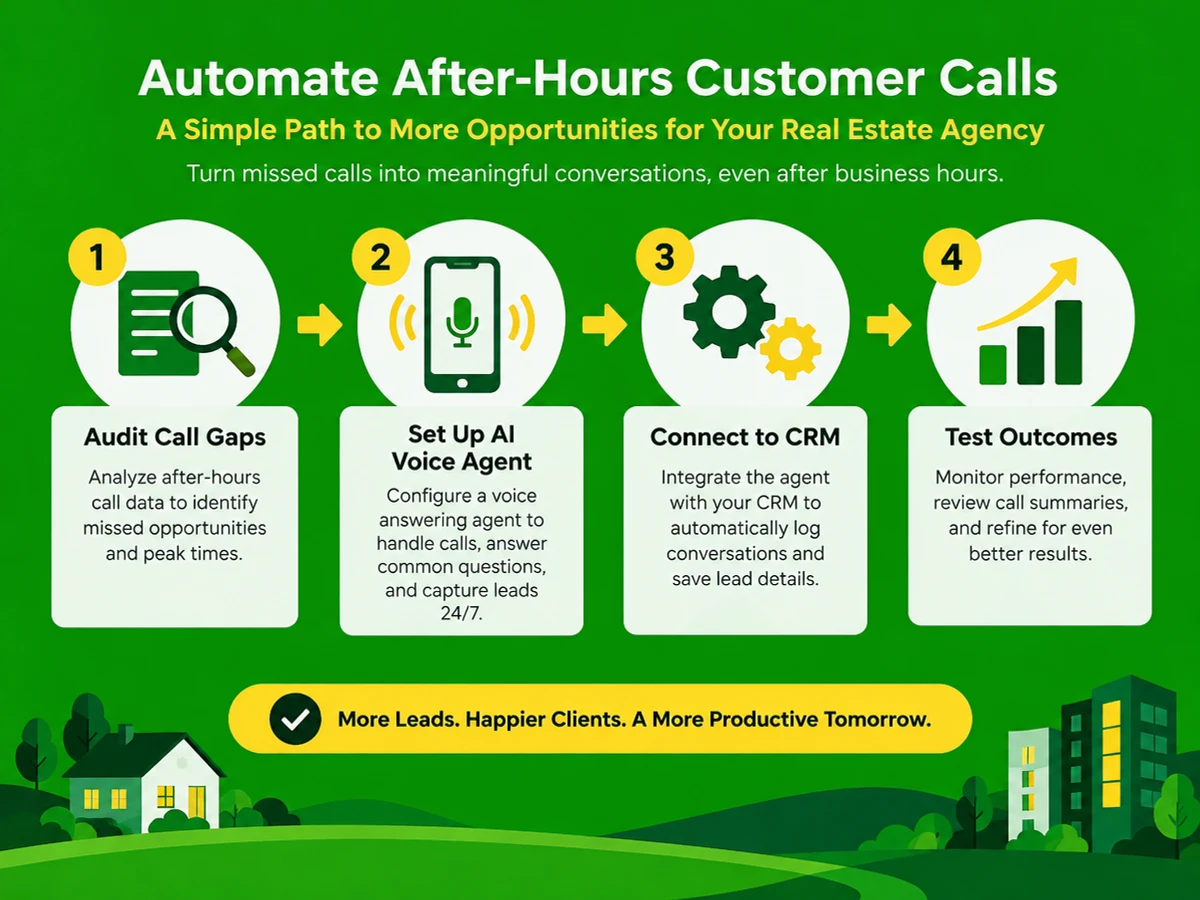
The Process at a Glance: How to Automate After-Hours Customer Calls for Real Estate Agencies

StepActionTimeOutcome
1Audit current call volume and after-hours gaps1-2 daysClear picture of missed-call cost
2Choose and configure an AI voice answering agent3-5 days24/7 line that answers in one ring
3Train the agent on listings, FAQs, and scripts2-4 daysAgent answers queries accurately
4Connect automation to CRM and calendars2-3 daysQualified leads auto-booked into viewings
5Test, launch, and monitor call outcomesOngoing weekly reviewMeasurable lift in after-hours conversions

Total time to full deployment: approximately 2-3 weeks.


Step 1: Audit Your Current After-Hours Call Gap

You can't fix a problem you haven't measured. Before you buy anything, find out how many calls your agency loses after hours and what those calls are worth. This gives you a benchmark to measure against later.

How to Do It

  1. Pull call logs from your phone system or VoIP provider for the last 60-90 days, separating business-hours calls from evening and weekend calls.
  2. Calculate your miss rate by time of day. Industry data shows real estate agents miss roughly 40% of incoming calls overall, so compare your figures against that baseline.
  3. Estimate revenue at risk using your average commission or rental management fee per closed lead.
  4. Flag recurring call types such as viewing requests, pricing questions, maintenance issues, and general inquiries. These decide what your automation must handle.

What Done Looks Like

You'll have a one-page summary showing after-hours call volume, estimated missed revenue, and the top three call types your automation must cover. For a more detailed walkthrough, see Planning for the Future | U.S. Department of the Interior.


Step 2: Set Up an AI Voice Answering Agent for After-Hours Coverage

Once an AI agent picks up every call, voicemail stops being the default and callers get a real conversation instead of a beep.

How to Do It

  1. Choose a platform built for customer-facing calls, not a generic chatbot. Ezora is one option designed for industries like real estate, insurance, and rentals, where every missed call has a direct dollar cost.
  2. Forward your business number to the AI agent after hours, or route all calls through it and let it hand live calls to staff during business hours.
  3. Define call-handling rules. Decide which calls the AI handles fully, such as FAQs and viewing scheduling, and which trigger an urgent SMS or call alert to an on-call agent, such as a tenant lockout or safety issue.
  4. Set the greeting and tone to match your brand. The first ten seconds of a call shape how much the caller trusts you.

Best Practices

  • Keep the AI's scope narrow at launch (listings, viewings, basic FAQs) and expand it once you trust its accuracy.
  • Always offer a path to a human for genuine emergencies, even at 2 AM.

What Done Looks Like

Every inbound call, day or night, is answered within one ring by an agent that sounds natural and understands what the caller wants.


Step 3: Train the Agent on Listings, Scripts, and FAQs

An AI agent is only as good as the information behind it. Training turns a generic voice into something that knows your inventory, your deposit rules, and your viewing hours.

How to Do It

  1. Upload your active listings, including price ranges and availability dates, so the agent can answer questions like "is this property still available?" without human input.
  2. Write a short FAQ document covering the 15-20 questions your front desk hears most, such as deposit amounts, pet policies, viewing hours, and document requirements.
  3. Script the qualification questions the agent should ask: budget range, timeline, financing status, or, for rentals, move-in date and household size.
  4. Review 10-15 test calls and correct any inaccurate or awkward responses before going live.

Common Mistakes

The most frequent slip is launching with outdated listing data, which leads the AI to quote units that have already sold or rented. Set a weekly sync reminder for your listings so this doesn't happen.

Example

Caller QuestionAI Agent Response TypeHuman Handoff Needed?
"Is the 2BHK in Koramangala still available?"Checks live listing data, answers directlyNo
"Can I view it tomorrow at 7 AM?"Checks agent calendar, books slotNo
"There's a gas leak in my rented flat"Escalates immediately via SMS/call alertYes, urgent

What Done Looks Like

The agent answers at least 90% of routine queries correctly in testing, without a human having to step in and fix the response.


Step 4: Connect Call Automation to Your CRM and Agent Calendars

A booking that exists only in a call recording is a booking nobody acts on. This step makes sure every conversation lands in your CRM and on an agent's calendar, so nothing depends on someone typing up notes the next morning.

How to Do It

  1. Integrate the voice agent with your CRM, the software that manages customer data, so every call logs the caller's details, intent, and transcript automatically.
  2. Sync agent calendars (Google Calendar, Outlook, or your scheduling tool) so the AI can check real-time availability and book viewings directly.
  3. Set follow-up triggers. If a lead isn't ready to book, schedule an automatic callback or SMS within minutes, not hours.
  4. Assign routing rules by property type, location, or agent specialization so leads reach the right person without anyone sorting them by hand.

Best Practices

  • Avoid adding software your staff has to learn separately. Pick automation that layers onto your existing CRM and calendar rather than replacing them.
  • Review weekly reports to catch booking conflicts or double-bookings early.

What Done Looks Like

A caller who phones at 10 PM has a viewing confirmed on an agent's calendar before they hang up, and your team finds it waiting for them the next morning.


Step 5: Test, Launch, and Monitor Call Outcomes

Automation projects rarely fail on day one. They fail quietly, months later, when nobody is checking the results. This step covers hard testing before launch and a steady feedback loop afterward.

How to Do It

  1. Run a soft launch for one week with internal test calls covering edge cases: wrong numbers, non-English speakers, angry tenants, and spam.
  2. Go live on your main business line, keeping a fallback voicemail only for extreme outages.
  3. Track weekly metrics: calls answered, leads qualified, viewings booked, and average time-to-callback for escalated issues.
  4. Review call transcripts monthly to refine scripts and catch any drift in accuracy.

What Done Looks Like

Your after-hours answer rate sits near 100%, and you have a weekly report showing leads captured outside business hours that would otherwise have gone to voicemail or a competitor.


What to Do After Automating After-Hours Calls

Launch is the starting line, not the finish. Phase 1 (Weeks 1-4): Stabilize. Read call transcripts daily, fix scripting gaps as they show up, and confirm the CRM and calendar sync is logging every lead correctly.

Phase 2 (Months 2-3): Expand scope. Add SMS follow-up, introduce multilingual support if your market calls for it, and let the agent handle basic maintenance triage alongside sales inquiries.

Phase 3 (Month 4 onward): Optimize for conversion. Use your reporting data to A/B test greetings, qualification questions, and escalation thresholds. Treat the after-hours line as a revenue channel that keeps improving.


Resources You'll Need to Automate After-Hours Customer Calls

ResourceRoleRequirement LevelPrice
EzoraAI voice and messaging agent platform that answers calls, books viewings, and reports in real timeRequired (or equivalent AI answering platform)Custom pricing based on call volume
CRM (e.g., existing agency CRM)Stores lead data and call historyRequiredVaries, often already in place
Google Calendar / Outlook CalendarSyncs agent availability for automated viewing bookingsRequiredFree with existing accounts
VoIP phone line (e.g., existing agency number)Call forwarding into the AI agent after hoursRequiredVaries by provider
Call analytics dashboardTracks answer rate, qualification rate, and booking conversionRecommendedOften bundled with the AI platform

See also, see Power Automate: Business Process Workflow Automation.


Common Plateaus & How to Break Through When Automating After-Hours Customer Calls

Plateau: The AI agent answers calls, but bookings don't increase

Likely cause: The agent answers questions but doesn't qualify leads or propose a clear next step, such as a viewing slot.

Fix: Rewrite scripts so every call ends with a specific call-to-action, such as confirming a viewing time or scheduling a callback.

Plateau: Staff don't trust the automation and re-check every call

Likely cause: Nobody can see what the AI said or did on each call.

Fix: Share weekly transcript summaries and conversion reports with the team. Trust grows faster when it's built on data.

Plateau: Listing information goes stale and the AI gives wrong answers

Likely cause: There's no process for syncing new or sold listings into the system the AI reads from.

Fix: Set a recurring daily or weekly sync task, or connect the AI directly to your live listings feed instead of a manually updated sheet.

Plateau: Urgent after-hours issues (tenant emergencies) aren't escalated fast enough

Likely cause: Escalation rules are too broad, or the on-call rotation isn't clearly set up.

Fix: Narrow escalation triggers to specific keywords such as lockout, leak, or no heat, and test the alert path monthly.

Key Takeaway: Regular monitoring, clear scripts, consistent data syncing, and precise escalation rules separate an after-hours line that delivers results from one that quietly underperforms. For more troubleshooting advice, see REAL ID | Transportation Security Administration - TSA.


Conclusion: How to Automate After-Hours Customer Calls for Real Estate Agencies

Automating after-hours calls used to be something only large brokerages could afford. In 2026, it's a five-step process any agency can finish in two to three weeks: audit the gap, deploy an AI voice agent, train it, connect it to your CRM and calendars, then monitor and refine. Platforms like Ezora were built for this workflow, and as the brand puts it, customer-facing businesses deserve intelligent automation that works within their existing workflows, with minimal disruption and quick impact.

Key Takeaways

  • Agencies that cover after-hours calls stop losing the 62% of inquiries that arrive outside business hours to competitors who answer first.
  • Speed and completeness both matter. An agent that answers in one ring and books a viewing on the spot converts far better than one that only takes a message.
  • Your next move: run the Step 1 audit this week so you have a clear before-and-after benchmark once automation goes live.

Frequently Asked Questions (FAQ)

How do you automate after-hours customer calls for real estate agencies in 2026?

You deploy an AI voice agent that answers every inbound call in real time, qualifies the caller's intent, checks listing and agent availability, and books viewings directly into calendars. The process usually takes two to three weeks: audit call gaps, configure the agent, train it on listings and FAQs, connect it to your CRM and calendars, then test and monitor. Platforms such as Ezora are designed for this, without requiring staff to learn new software.

What percentage of real estate calls happen after business hours?

Industry data indicates that 62% of real estate inquiries are submitted outside traditional 9 AM to 5 PM business hours. That's why after-hours coverage has become essential for agencies that want to compete on responsiveness.

How much revenue do real estate agencies lose from missed after-hours calls?

Estimates vary by deal size, but benchmarking shows real estate agents miss roughly 40% of calls, with revenue per call ranging from $2,500 to $10,000 or more, depending on typical commission values. Even a handful of missed after-hours calls each month can add up to a significant loss.

Can an AI voice agent actually book property viewings automatically?

Yes. When connected to an agent's live calendar, an AI voice agent can check real-time availability and confirm a viewing slot during the call, saving the back-and-forth of scheduling the next business day.

Is AI call automation reliable enough for genuine emergencies like tenant issues?

AI agents handle routine inquiries well, but they should be set up with clear escalation rules. Genuine emergencies such as lockouts, maintenance failures, or safety issues should trigger an immediate alert to an on-call person, not be handled entirely by the AI.

Do real estate agents need to hire night-shift staff instead of automating?

Not necessarily. A traditional answering service can reduce missed calls, but an answering service with a 15% miss rate still leaves significant revenue on the table compared with an AI agent that answers every call directly. Automation generally costs less than a night-shift hire while covering every call around the clock.

How long does it take to set up after-hours call automation for a real estate agency?

Most agencies can go from audit to full deployment in two to three weeks. That covers call volume analysis, AI agent setup, listing and script training, CRM and calendar integration, and a short testing period. Ezora, for example, is designed to be up and running in about two weeks for most customer-facing businesses.

What tools are required to automate after-hours customer calls?

At minimum, you need a VoIP or call-forwarding phone line, an AI voice answering platform, a CRM to log leads, and a synced calendar for booking viewings. Most agencies already have the phone line and CRM, so the real work is layering automation on top of what you already use.

This guide was compiled using publicly available industry research, published studies on real estate lead response times, and documented AI call automation practices current as of November 2026. Specific results vary by agency size, call volume, and market, so agencies should benchmark their own call data before and after implementation to measure actual impact.

Missing calls after hours?

Book a 20-minute call. We'll show you where leads slip through and what an AI front office would answer, book and follow up for you.

Book a call
Social Share
Add as a preferred source on Google
Social Share
Add as a preferred source on Google
Ezora logoEzora

Every call answered. Every lead followed up.

Book a 20-minute call to see what Ezora's AI agents can do for you.

Book a callVisit ezora.co